QUIPPER LMS
Your all-in-one Learning Management System.
A user-friendly LMS that adapts to every type of learner, making teaching and learning more effective and engaging.
.png)
Key Features
Designed for every role in your school community
Less paperwork, more time with students
Equip teachers with tools that reduce administrative workload, increase instructional time, and help every student receive the attention they deserve.

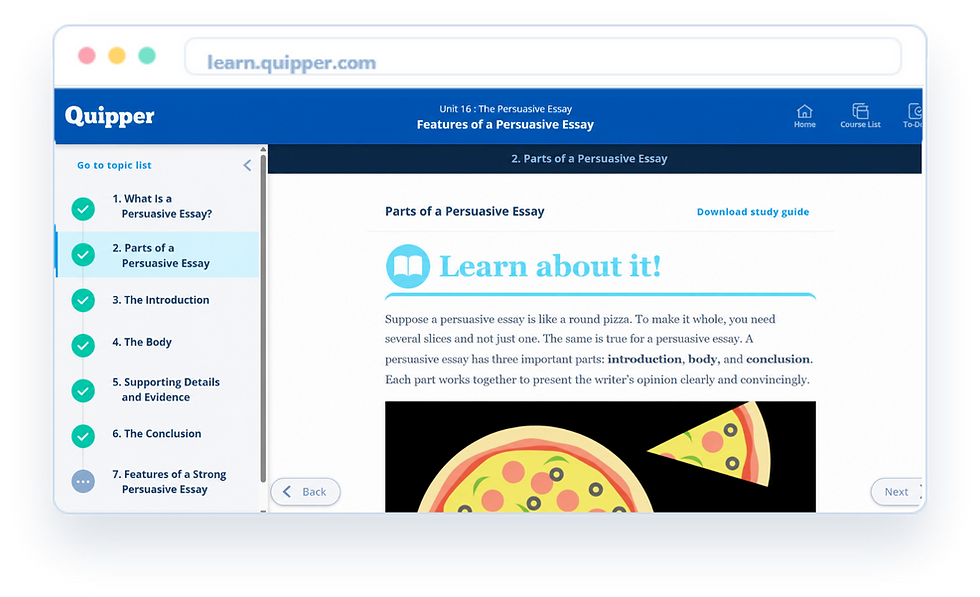
Manage classes & students in one place
Send assignments & timed exams in a few clicks
Auto-check quizzes, assignments and exams
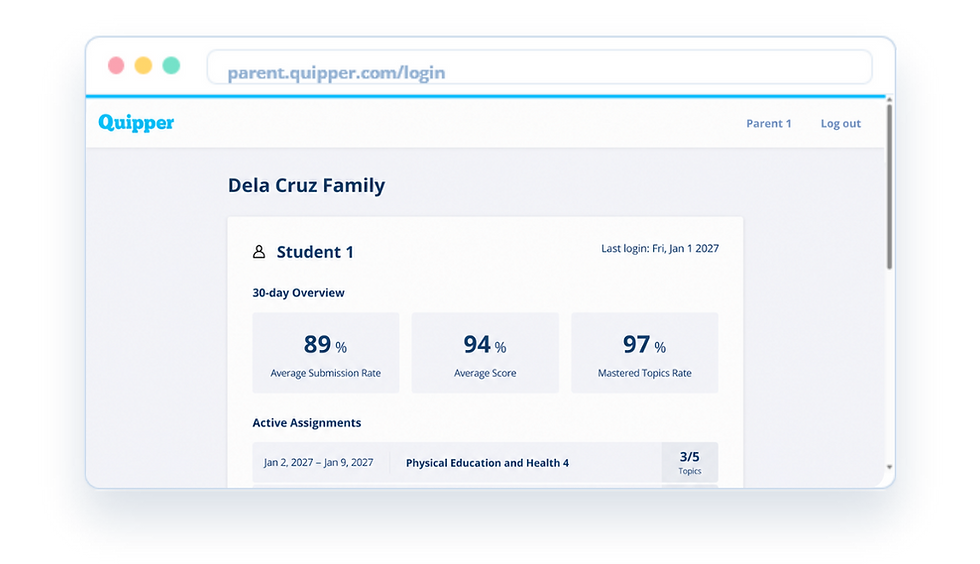
Generate individual & class reports
Skip prep with ready-to-use lessons
Keep exams fair with cheating detection
Communicate with students via message feature
Grade essays consistently with rubrics
Build assessments faster with AI
Run live classes & publish your own lessons
Give richer essay feedback, faster
Monitor students progress with real-time insights
.png)

.png)
COMING SOON · Powered by Manabie AI
AI Tutor built on Quipper's DepEd-aligned content
Powered by Manabie, AI Tutor gives every student instant, around-the-clock learning support with personalized guidance and problem-solving assistance—all within the Quipper LMS.
Photo-to-solution
Snap any problem for any subject and get a worked solution instantly.
Step-by-step explanations
Every answer is broken down into clear steps, not just a final result.
Ask follow-up questions
If unsure about a step, ask the AI Tutor and it re-explains in another way.
Adaptive to understanding
Personalized hints adapt to each student's level to build real understanding
24/7 availability
Real-time homework support any time of day, for every subject and level.
Unlimited Practice
New questions generated on demand until the student reaches mastery.
Quipper Mobile App
Learn anytime, anywhere — even offline.
The Quipper Mobile App ensures students can continue learning with or without an internet connection, providing uninterrupted access to their lessons.
Offline mode — download & learn without internet
Lightweight design for low-end smartphones
Auto-sync progress when back online
Student-friendly interface


.png)
Works on Any Device
Make use of any device student already have
Students can access Quipper on the laptop, tablet, or smartphone they already own, eliminating the need for additional hardware costs.

Desktop
Laptop
Tablet
Mobile
Smartphone/ Tablet
iOS 15 or higher
Android 8 or higher
4GB of RAM or higher
WLAN, DSL, or Mobile Data with at least 5mbps
Google Chrome, Mozilla Firefox, Safari
The Quipper LMS works best with these equipment and operating systems

Specifications
Operating System
Memory
Bandwidth
Browsers
Laptop/ Desktop
Windows 10 or higher
Chrome OS (latest version)
Mac OS 13 or higher
8GB of RAM or higher
WLAN or DSL with at least 5mbps speed
30-day free trial
No long-term commitment
No initial investment required
Schedule a 30-day free demo and see how Quipper supports your school from day one to year-end.
Bring the best education
to every corner of
your classroom.
READY TO EMBARK ON QUIPPER?
READY TO GET STARTED?
Bring the best education
to every corner of
your school.
Book a demo and start your 30-day free trial to see how Quipper supports your school from day one to year-end.
No initial investment required
No long-term commitment
30-day free trial